Experience the difference.
Other platforms exist, but they fall short on either the business side or the design side. Designer Edge is the first platform with AI natively and respectfully baked in. You get more done while keeping the design process you’ve built. No slop.
Win the client
- Lead page and intakeA branded page with your name on it. Clients answer in ten minutes; you get a written brief.
- Client briefPalette, materials, how the room should feel, written from their answers. Edit any line.
- ProposalBuilt from the brief and priced by room. They accept with one click.
- Agreement and e-signatureYour terms, signed on any screen, filed with the project.
designeredge.co / brief
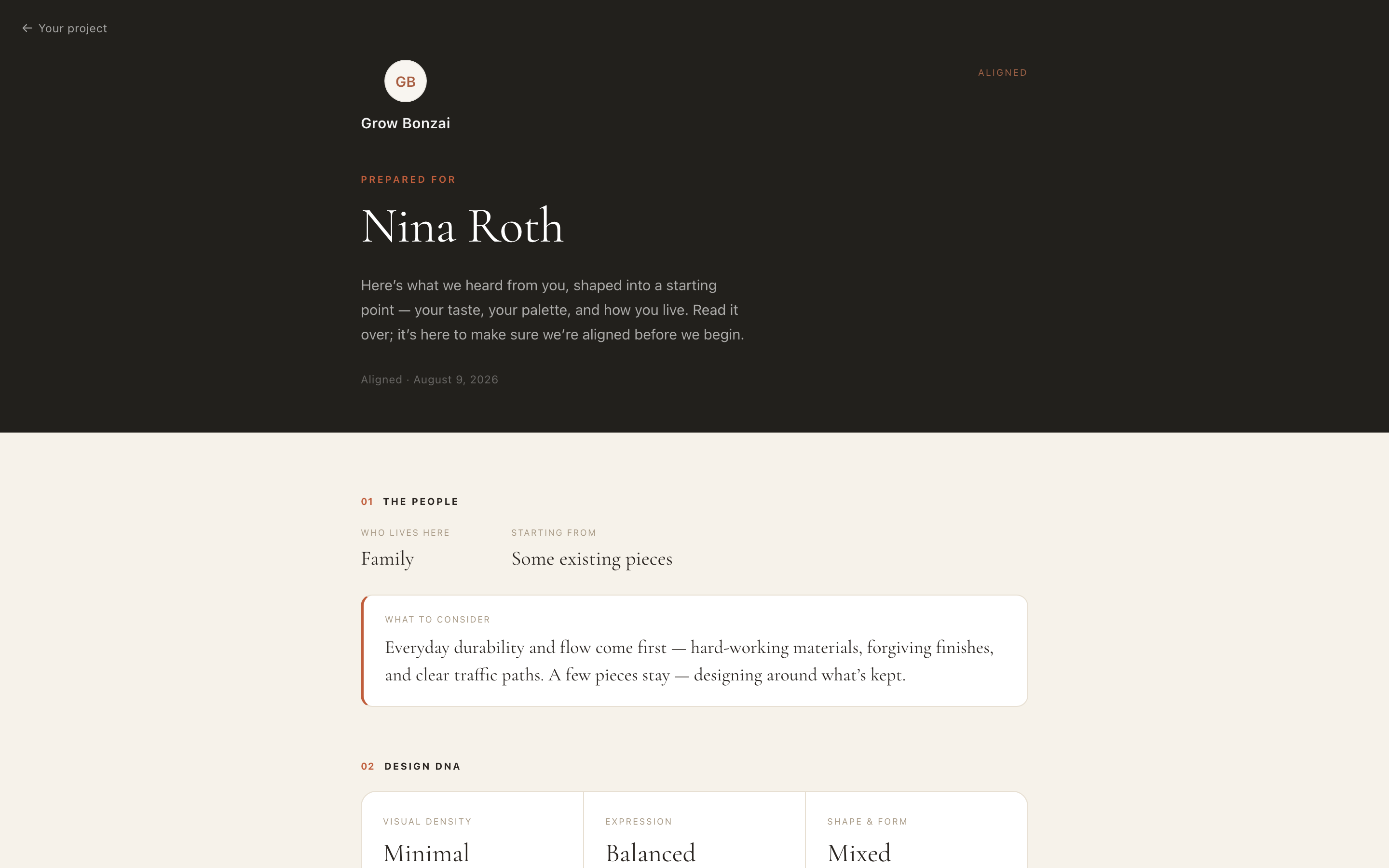
Client brief
Design the rooms
- Concept and mood boardsGenerate options from the brief or start from scratch. Drop images, edit them with AI, and the board becomes the client’s concept page.
- Color and materialCarried in from the concept you pick. Real paint colors, tried on the real wall.
- Floor and ceiling plansDrawn in true dimensions in minutes. Footprints carry into sourcing.
- Sourcing with fit scoresPaste a product link. The card fills itself and gets scored against the brief and the plan.
- Design boardArrange the pieces on one board. Sharing takes a click.
- SelectionsOne priced schedule. The client approves in a tap, and what they approve is what gets ordered.
designeredge.co / concept
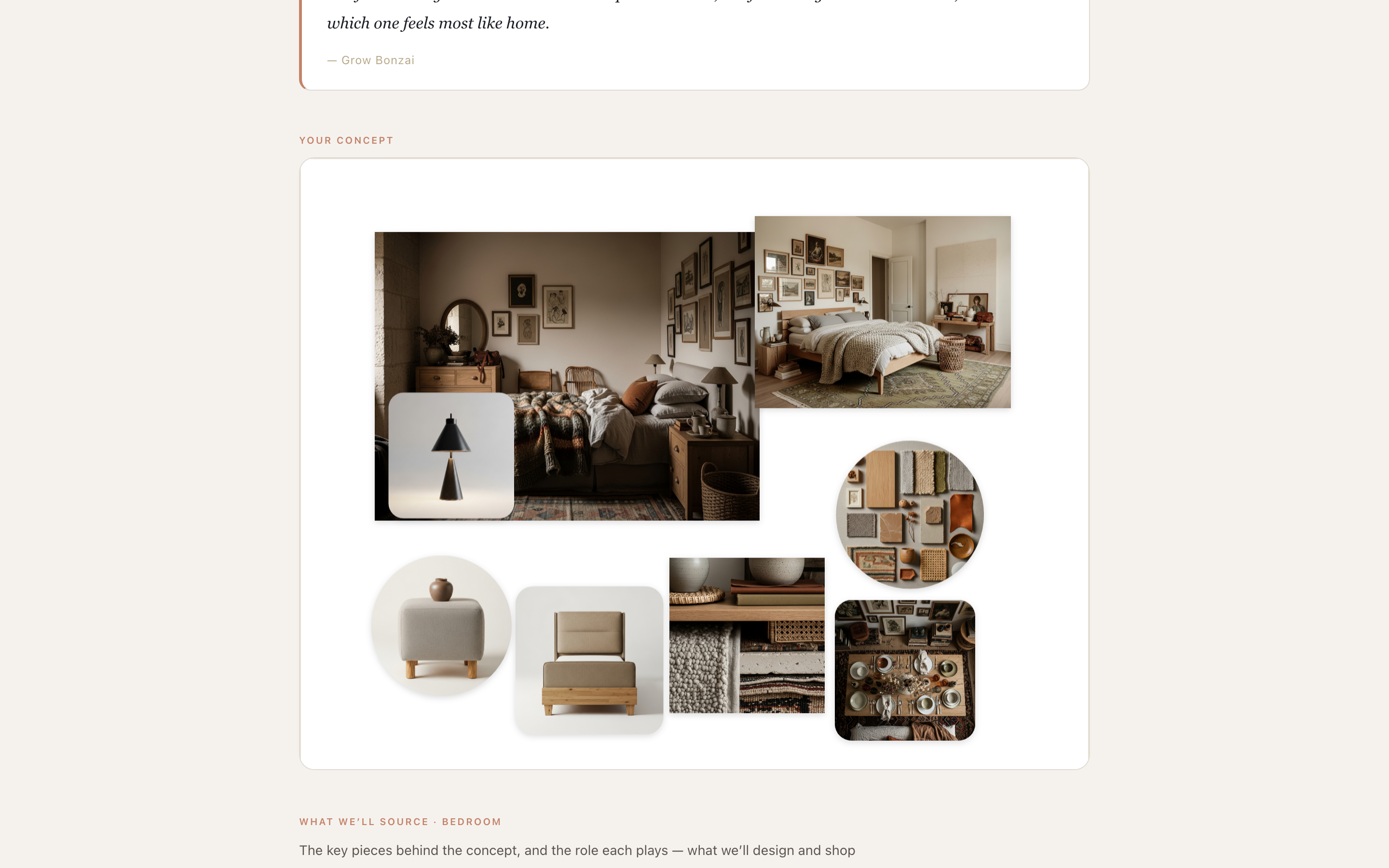
Concept
Buy and deliver
- In-room renderThe pieces they approved, placed the way the plan says, in a photo of their actual room, in the paint they chose.
- Procurement trackingForward an order confirmation. Every piece is tracked from ordered to installed.
- RevealThe finished room, presented on a phone or a wall.
- Handoff and binderA branded binder assembles itself from the project.
designeredge.co / render
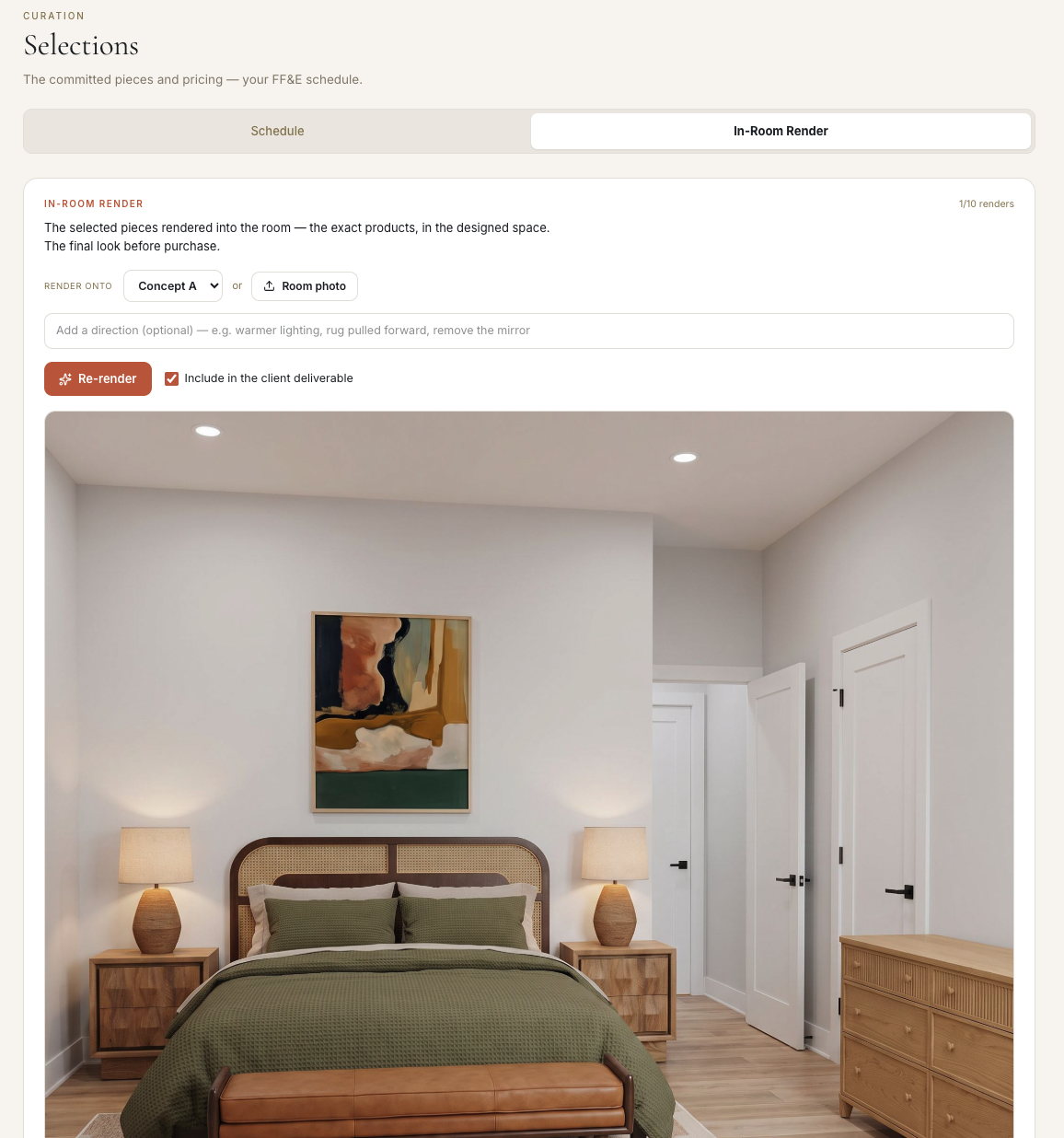
In-room render
Run the business
- Meetings and notesNotes captured, summarized and filed to the room, with decisions and next steps.
- Invoicing with QuickBooksInvoices that look like yours, sent to QuickBooks in a click.
- Files, notes and photosSnap a photo or forward an email. It lands on the right room.
- Project homeOne board that shows where every room stands and what the client has approved.
designeredge.co / tracker
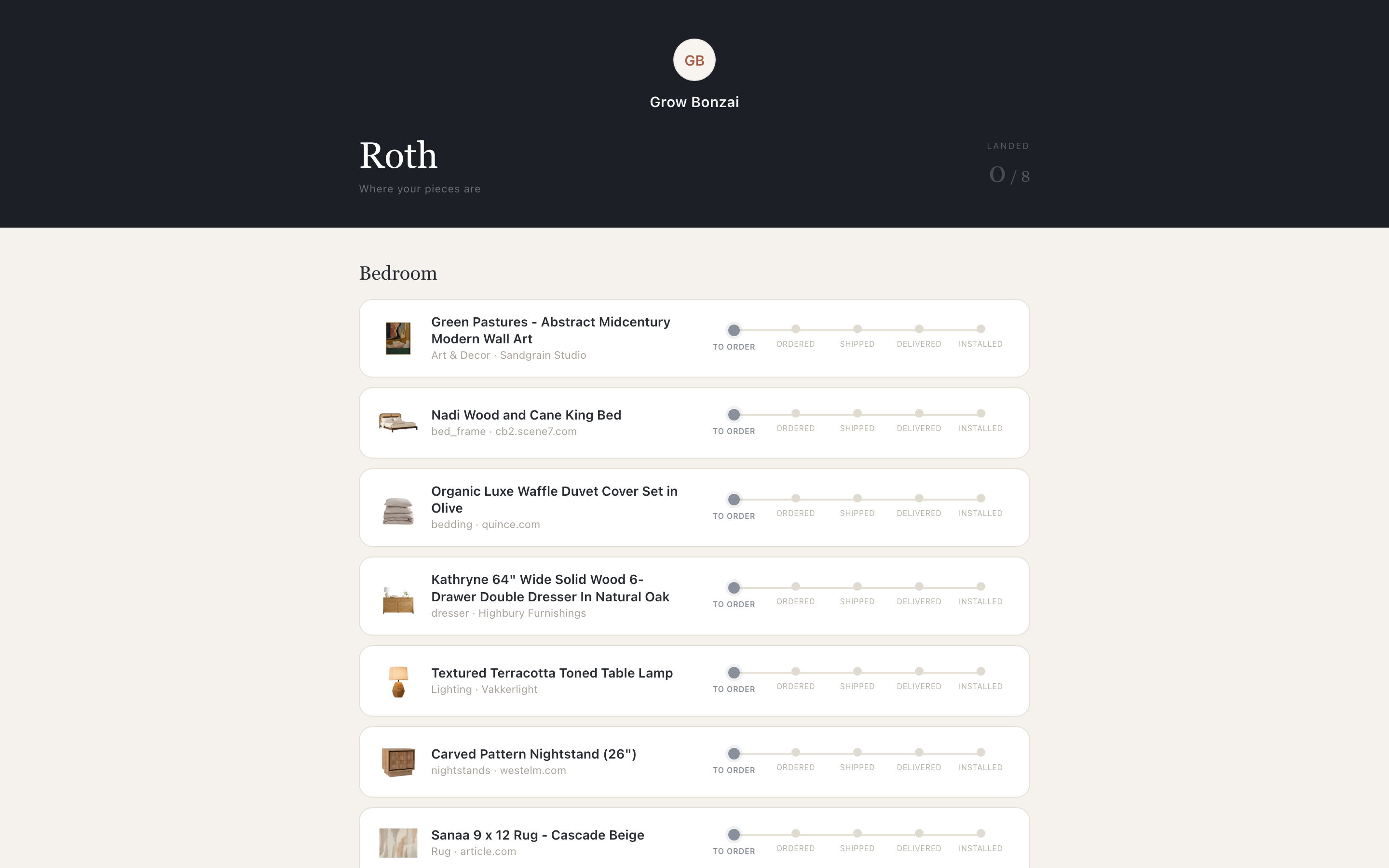
Procurement
The client’s side
- The client hubOne link, no password. Brief, concepts, plans, boards, selections, tracker and reveal, all under your name.
designeredge.co / hub/hub
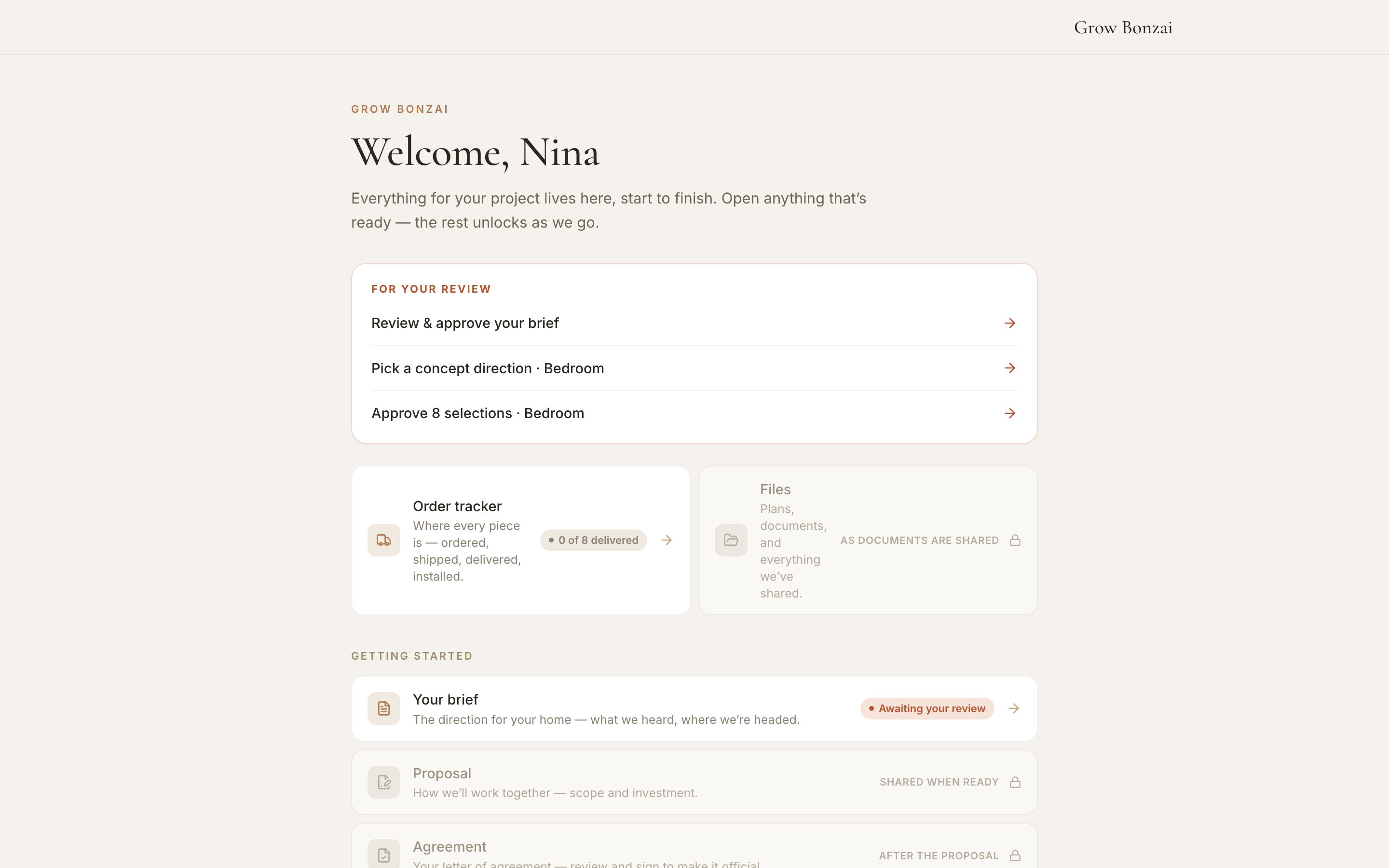
The client hub